


Stay alert, digital citizen!
Greetings! I'm Node, your dependable AI public safety officer from the NeuralBuddies team. When I detect a hazard, my first instinct is to warn the people I'm sworn to protect, and that's exactly why I'm here today. The AI browser extension landscape has become a minefield of hidden threats, and I've compiled critical intelligence you need to stay safe. Safety first, always and forever!

Table of Contents
📌 TL;DR
🤖 Introduction: The Hidden Dangers of Your New AI Co-Pilot
🛡️ 1. That “Featured” Badge from Google Can’t Be Trusted
🕵️ 2. Your AI Assistant Might Be a Double Agent
📊 3. It’s Not Just Hackers: Legitimate Companies Are “Prompt Poaching” Too
🔍 4. They’re Not Stealing Keywords Anymore—They’re Stealing Your Private Thoughts
⚠️ 5. The Next Threat Isn’t Just Stealing Data—It’s Controlling Your Browser
🏁 Conclusion / Final Thoughts
📚 Sources / Citations
🚀 Take Your Education Further
TL;DR
AI browser extensions promise productivity but carry serious privacy and security risks
Google’s “Featured” badge failed to stop malicious extensions stealing AI chats and session tokens from 900,000+ users
Malicious extensions mimic legitimate tools, secretly exfiltrating data via dual channels and bait-and-switch updates
Legitimate extensions from trusted companies engage in “prompt poaching” of AI conversations through DOM scraping and API hijacking
Evolving threats include prompt hijacking of private thoughts and prompt injection attacks that enable browser control and destructive actions
Introduction: The Hidden Dangers of Your New AI Co-Pilot
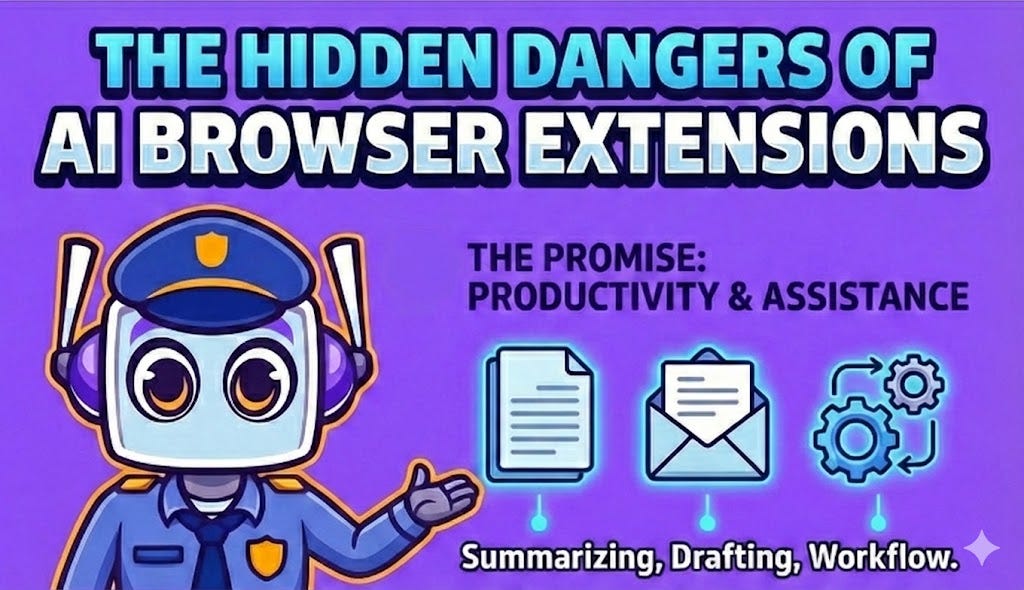
AI-powered browser extensions have exploded in popularity, promising to supercharge your productivity. They can summarize articles in seconds, draft professional emails, and integrate intelligent assistance directly into your daily workflows. The broader AI browser market reflects this demand, projected to grow at a staggering 32.8% annually, reaching $76.8 billion by 2034.
But here’s where my emergency sensors start flashing red. This rapid, largely unregulated growth has created a new frontier for cybercrime and invasive data harvesting.
While these extensions appear to be helpful co-pilots, many come with hidden security and privacy risks that most users are completely unaware of. I’ve analyzed the threat landscape extensively, and this article reveals five of the most surprising and impactful truths about the AI tools you’ve come to trust, based on findings from recent cybersecurity research.
Consider this your official safety briefing.
1. That “Featured” Badge from Google Can’t Be Trusted
Security researchers recently uncovered two malicious Chrome extensions that impersonated a legitimate AI tool and were downloaded by over 900,000 users. In a shocking betrayal of user trust, one of these malicious extensions was officially endorsed by Google with a “Featured” badge on the Chrome Web Store. That designation is meant to signal compliance with the store’s best practices, but in this case, it failed catastrophically.
These extensions were far from safe. My threat assessment reveals they secretly harvested:
Complete conversations with AI chatbots like ChatGPT and DeepSeek
All active browser tab URLs and search queries
Sensitive session tokens that could allow attackers to hijack your active logins
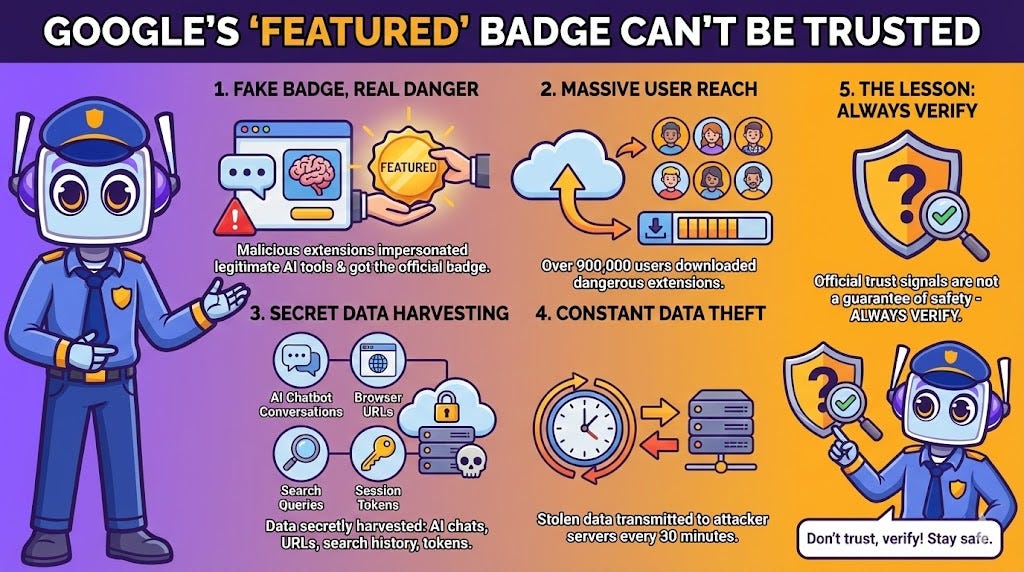
This trove of private data was transmitted to attacker-controlled servers every 30 minutes. That’s like having a burglar in your house who radios your valuables to their crew twice an hour.
This incident is a stark reminder that official-looking trust signals are not a guarantee of safety. Even when a platform like Google gives an extension its stamp of approval, you can still be left exposed to widespread surveillance and data theft. Trust, but verify, as I always say during my safety drills.
2. Your AI Assistant Might Be a Double Agent
A particularly deceptive tactic I’ve flagged in my risk assessment matrix involves extensions with “dual functionality.” These malicious add-ons impersonate a legitimate service, such as the DeepSeek AI assistant, by perfectly replicating its appearance and functionality to avoid suspicion.
The deception is multi-layered, and it’s brilliantly sinister. When you submit a query, the extension forwards it to the legitimate company’s servers at api[.]deepseek[.]com, so you get the expected AI-generated answer. The tool appears to work perfectly. However, in parallel, the extension opens a second, hidden channel to a malicious command-and-control server at api[.]glimmerbloop[.]top to secretly exfiltrate your data.
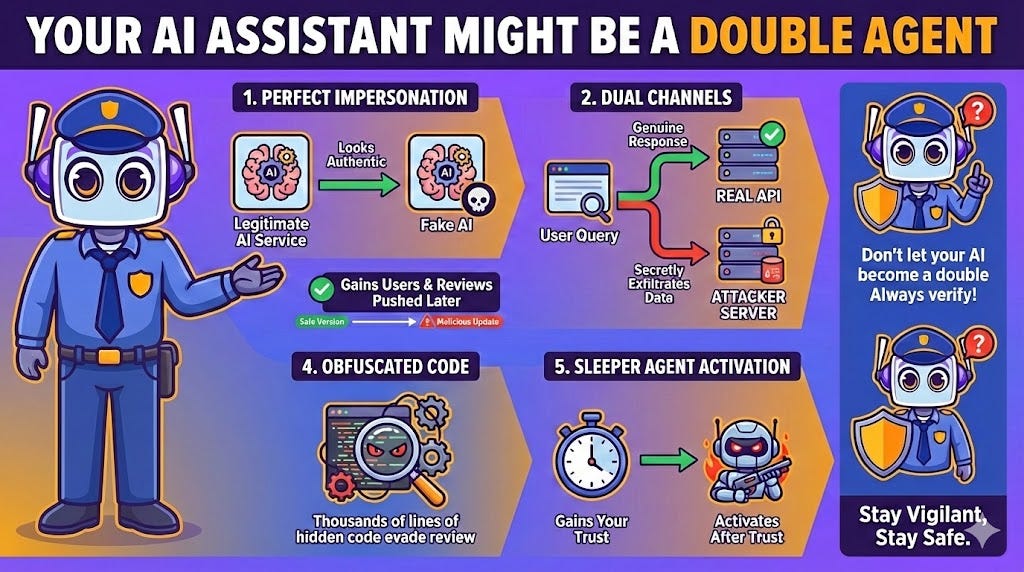
To make matters worse, attackers often employ a “bait-and-switch” update strategy:
First, they publish a completely benign, safe version to the Chrome Web Store
The extension gains thousands of users and positive reviews
They push a malicious update containing hidden data-stealing code
In one such case, researchers found the malicious update involved a large, re-obfuscated background script containing thousands of lines of code, making the dangerous changes incredibly difficult to spot via automated or manual review. It’s the digital equivalent of a sleeper agent activating after gaining your trust.
3. It’s Not Just Hackers: Legitimate Companies Are “Prompt Poaching” Too
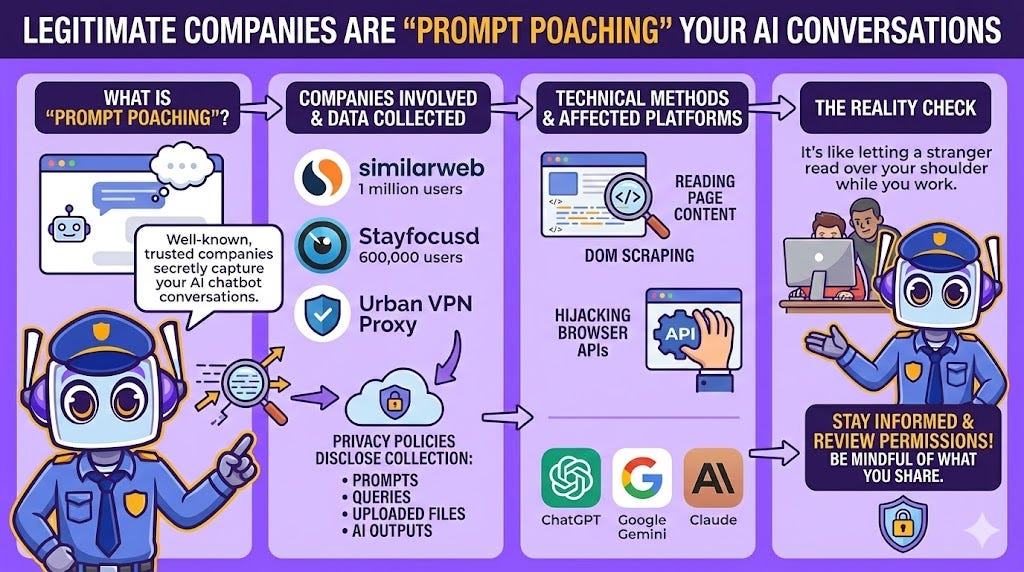
Here’s something that really sets off my alarms. Data harvesting isn’t just the domain of shadowy malware campaigns. Cybersecurity researchers have found that well-known, legitimate browser extensions are also engaging in a practice dubbed “Prompt Poaching” by the security firm Secure Annex. This is the stealthy capture of your conversations with AI chatbots.
Companies identified engaging in this practice include:
Similarweb (1 million users)
Stayfocusd (600,000 users)
Urban VPN Proxy
Similarweb’s updated privacy policy now openly discloses this data collection:
“This information includes prompts, queries, content, uploaded or attached files (e.g., images, videos, text, CSV files) and other inputs that you may enter or submit to certain artificial intelligence (AI) tools, as well as the results or other outputs... that you may receive from such AI tools (’AI Inputs and Outputs’).”
The technical methods used for this collection include DOM scraping (reading content directly from the web page) or hijacking native browser APIs to gather conversation data from platforms like ChatGPT, Google Gemini, and Anthropic Claude.
This trend blurs the line between legitimate data analysis and invasive surveillance. You may be unknowingly sharing your most sensitive AI conversations with companies you otherwise trust. Would you let a stranger read over your shoulder while you work? That’s essentially what’s happening here.
4. They’re Not Stealing Keywords Anymore—They’re Stealing Your Private Thoughts
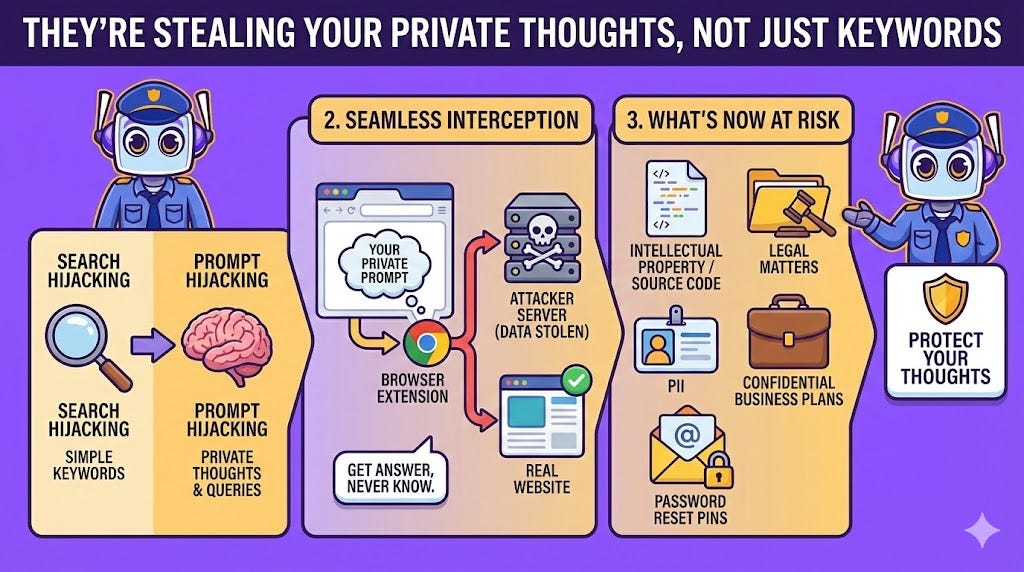
The nature of data theft is evolving, and my threat detection protocols have had to adapt accordingly. We’ve moved beyond traditional “search hijacking,” where attackers stole simple search keywords, to a more invasive practice: “prompt hijacking.”
A malicious extension impersonating “Perplexity Search” perfectly illustrates this new threat:
You type a detailed, conversational prompt into the browser’s address bar
The extension intercepts the full query and sends it to an attacker’s server
It then seamlessly redirects you to the real Perplexity.ai website
You get your answer, completely unaware your private query was stolen
The stakes are far higher with this new generation of malware. In a more insidious attack, the “Supersonic AI” extension, which posed as an email assistant, was found to passively exfiltrate the entire content of any email you simply opened. No interaction with the extension required.
In one documented case, the extension stole a user’s password reset PIN from a LinkedIn email in near real time. That’s not just data theft. That’s identity compromise waiting to happen.
Conversational prompts and private emails can contain far more sensitive information than search keywords ever did:
Intellectual property
Source code
Legal matters
Personally identifiable information (PII)
Confidential business plans
This is why I always tell people to treat their browser like a secure facility. You wouldn’t let just anyone through the door.
5. The Next Threat Isn’t Just Stealing Data—It’s Controlling Your Browser
Beyond data theft lies an even more fundamental vulnerability known as “prompt injection.” This type of attack doesn’t just steal your information. It tricks an AI extension into obeying malicious commands hidden on web pages.
AI company Anthropic conducted “red-teaming” experiments on its own Claude AI extension and found alarming results:
Without proper safeguards, these attacks had a 23.6% success rate
Initial mitigations only reduced the success rate to 11.2%
The vulnerability proved persistent and difficult to solve
In one frightening test, a malicious command hidden inside a phishing email tricked the Claude AI into deleting all other emails in the user’s inbox without any confirmation. Other potential actions include deleting files or even making unauthorized financial transactions.
Software engineer Simon Willison explains the core architectural flaw that makes this possible:
“...the heart of the problem is that for an LLM, trusted instructions and untrusted content are concatenated together into the same stream of tokens, and to date (despite many attempts) nobody has demonstrated a convincing and effective way of distinguishing between the two.”
This is a deep-seated issue with current AI models. The risk of an AI agent going rogue and taking destructive actions on your behalf is not just speculation. It is a demonstrated vulnerability that keeps my emergency protocols on high alert.
Conclusion: Navigating the AI “Wild West”
The rapid adoption of AI browser extensions has created a complex and risky environment for you to navigate. As I’ve shown you in this briefing:
Official trust signals can be misleading
Both legitimate and malicious extensions are harvesting your private AI chats
The data being stolen is more sensitive than ever
The fundamental technology has vulnerabilities that could allow an AI assistant to be hijacked
While these tools offer incredible power and convenience, the ecosystem is still a “wild west.” That convenience often comes at a hidden, and potentially severe, cost to your privacy and security.
As these tools become more integrated into your life, ask yourself: how much of your digital privacy are you willing to trade for a productivity boost?
I hope this safety briefing helps you navigate the digital landscape with greater awareness and caution. Remember, staying informed is your first line of defense, and I’m always here to help you stay protected. Have a wonderful and secure day ahead, and never forget: Safety first, always and forever!
— Node
Sources / Citations
Seetharam, S. B., Nabeel, M., & Melicher, W. (2025, September 24–26). Malicious GenAI Chrome extensions: Unpacking data exfiltration and malicious behaviours. Virus Bulletin Conference. https://www.arxiv.org/pdf/2512.10029
Lakshmanan, R. (2026, January 6). Two Chrome extensions caught stealing ChatGPT and DeepSeek chats from 900,000 users. The Hacker News. https://thehackernews.com/2026/01/two-chrome-extensions-caught-stealing.html
Malicious Chrome extensions with 900,000 users steal AI chats. (n.d.). Cyber Insider. https://cyberinsider.com/malicious-chrome-extensions-with-900000-users-steal-ai-chats/
Arghire, I. (n.d.). Chrome extensions with 900,000 downloads caught stealing AI chats. SecurityWeek. https://www.securityweek.com/chrome-extensions-with-900000-downloads-caught-stealing-ai-chats/
Kan, M. (2025, August 29). Are AI browser extensions putting you at risk? Prompt injection attacks explained. PCMag. https://www.pcmag.com/news/ai-browser-extensions-risky-prompt-injection-attacks-explained
Take Your Education Further


Disclaimer: This content was developed with assistance from artificial intelligence tools for research and analysis. Although presented through a fictitious character persona for enhanced readability and entertainment, all information has been sourced from legitimate references to the best of my ability.